This website works best with a newer web browser such as Chrome, Firefox, Safari or Microsoft
Edge. Internet Explorer is not supported by this website.
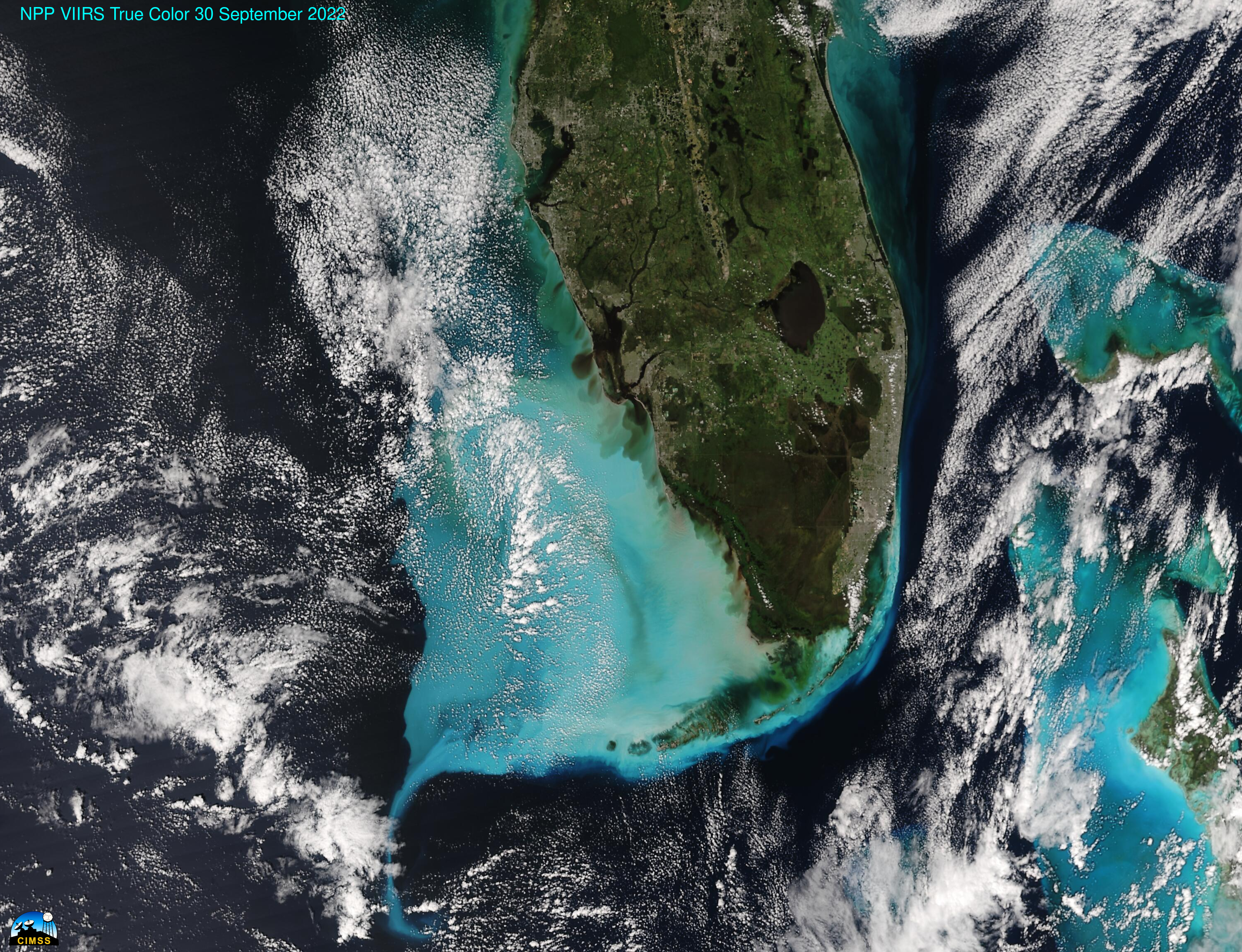
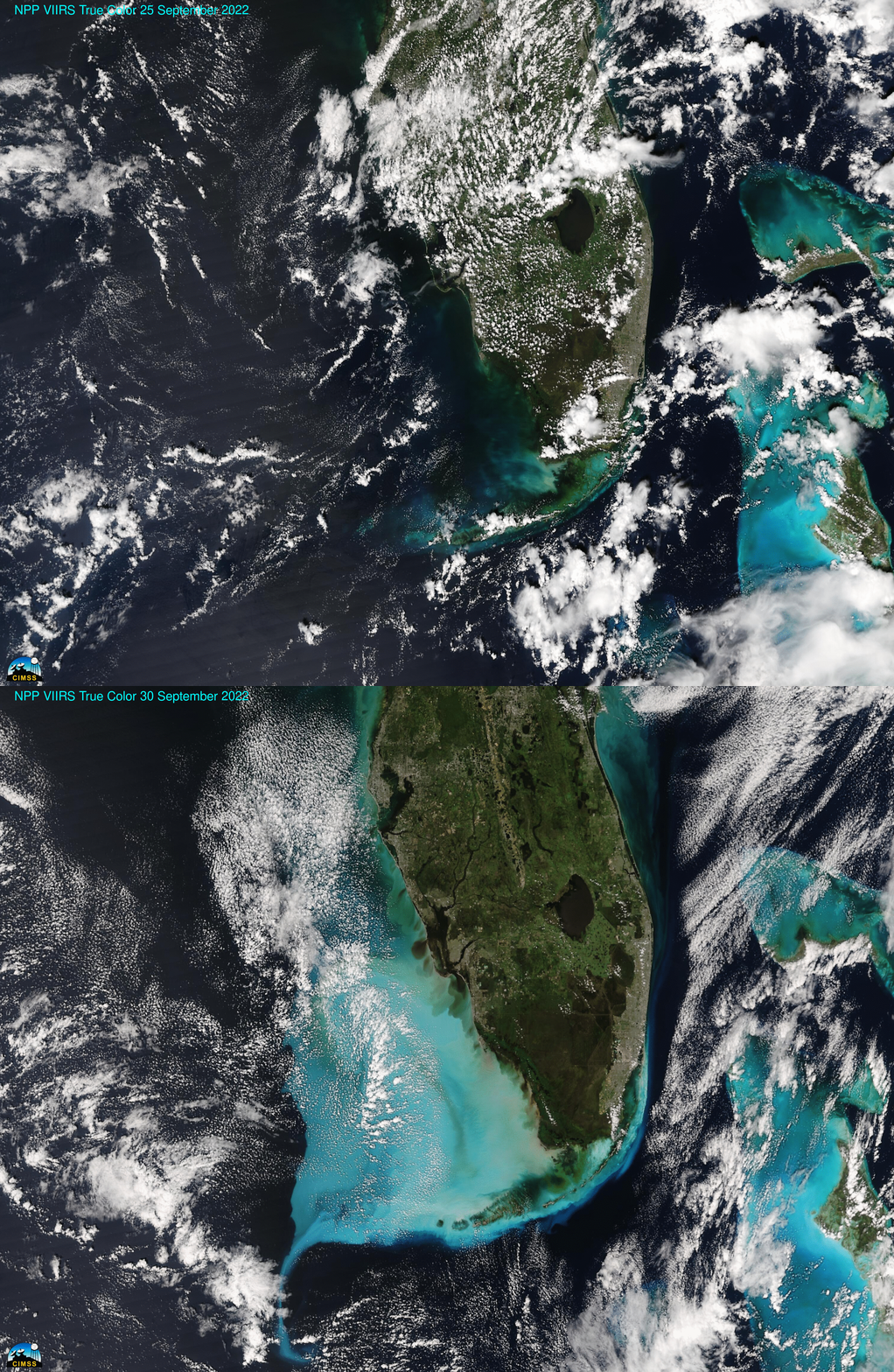
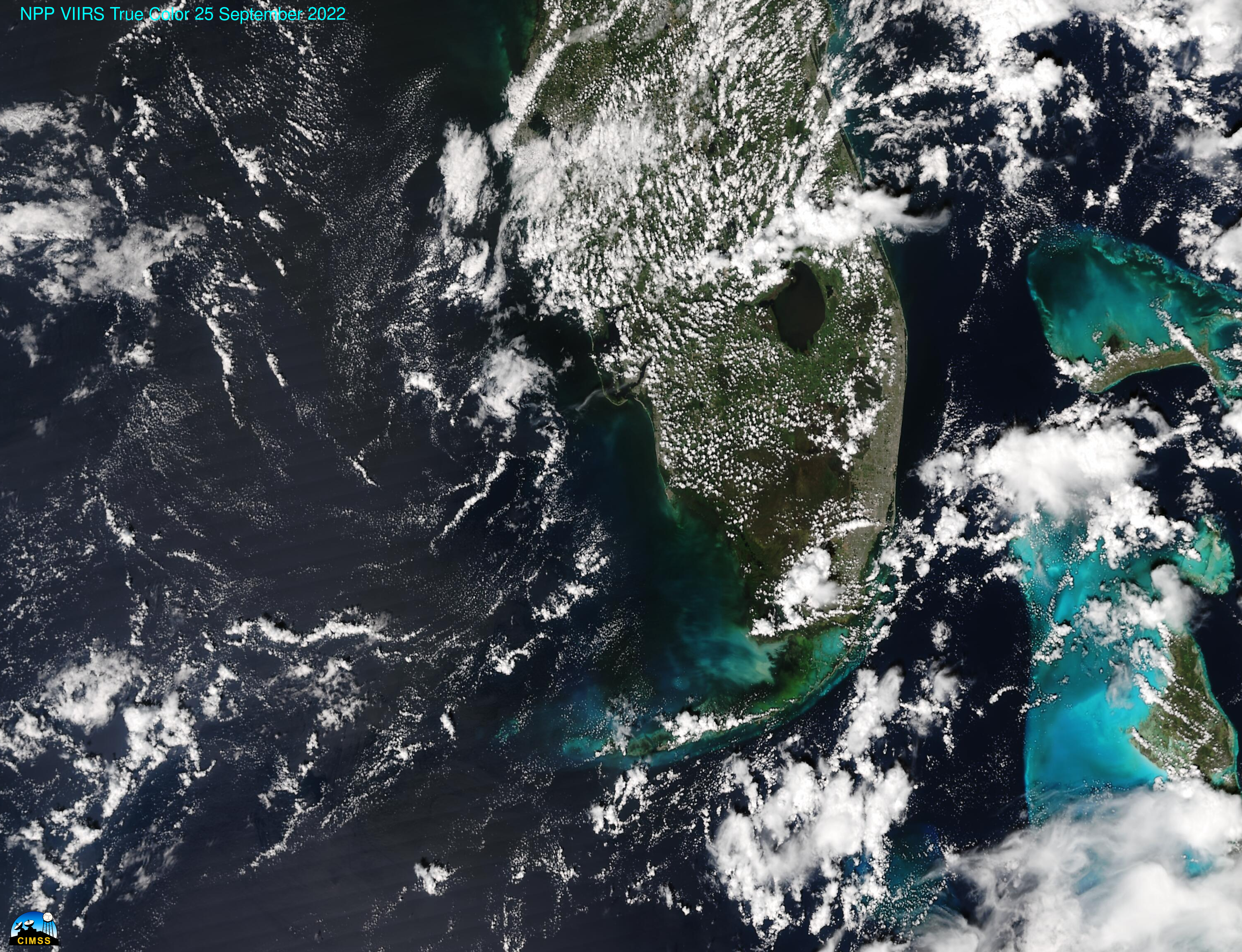
Polar-Orbiting satellites flying over Florida viewed remarkable changes in water quality from before and after the passage of Hurricane Ian. Imagery from Suomi-NPP, for example, from 25 September and 30 September, toggled below (imagery derived from the VIIRS Today website), shows a large increase in turbidity in the Gulf (and over the Atlantic... Read More
Polar-Orbiting satellites flying over Florida viewed remarkable changes in water quality from before and after the passage of Hurricane Ian. Imagery from Suomi-NPP, for example, from 25 September and 30 September, toggled below (imagery derived from the VIIRS Today website), shows a large increase in turbidity in the Gulf (and over the Atlantic off the coast of eastern Florida) as well as discharge plumes from near Fort Myers and from points to the south.
VIIRS Today True-Color imagery from Suomi-NPP, 25 and 30 September 2022 (Click to enlarge)
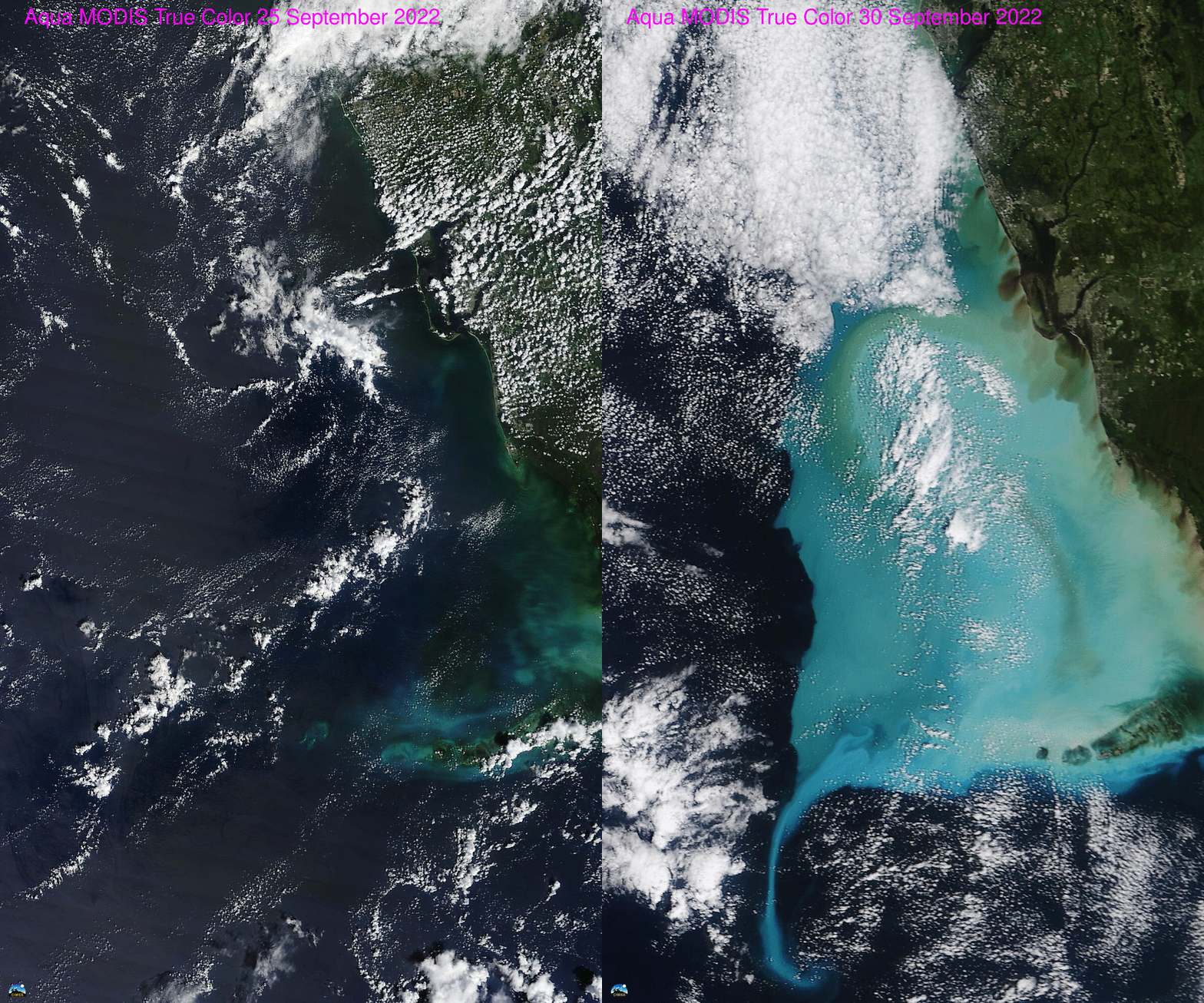
True-color imagery from the Aqua MODIS instrument (below), taken from the MODIS Today website, also shows the dramatic changes (between 25 September and 30 September) in turbidity and water quality off the southwestern coast of Florida.
MODIS True-color imagery over the southeastern Gulf of Mexico before (25 September) and after (30 September) Hurricane Ian
Note: Hurricane Wilma caused a similar increase in turbidity (link).
Thanks to RIck DiMaio, Lewis University, for pointing this out!
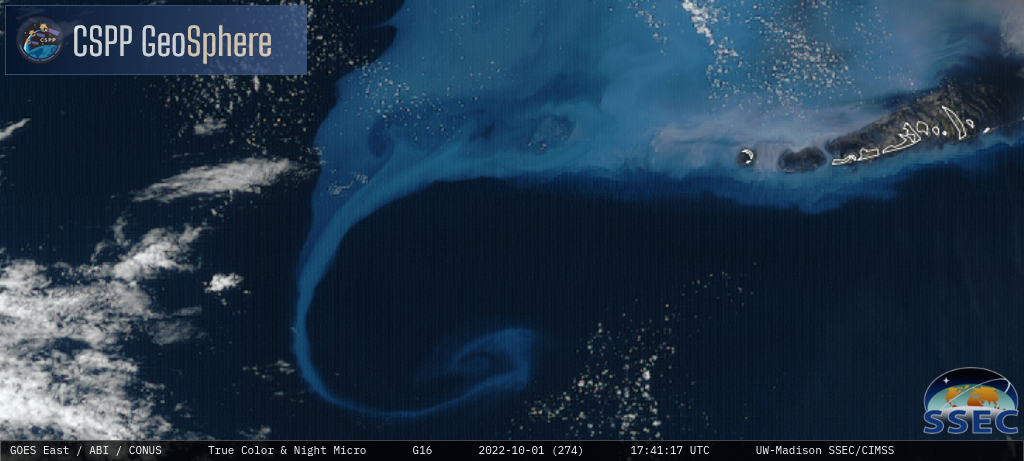
01 October Update: One feature of interest was a small cyclonic eddy that developed along the end of a long curved filament of cyan-colored turbidity which was wrapping around the Florida Keys — shown in GOES-16 (GOES-East) True Color RGB images from the CSPP Geosphere site (below).
GOES-16 True Color RGB images [click to play MP4 animation]
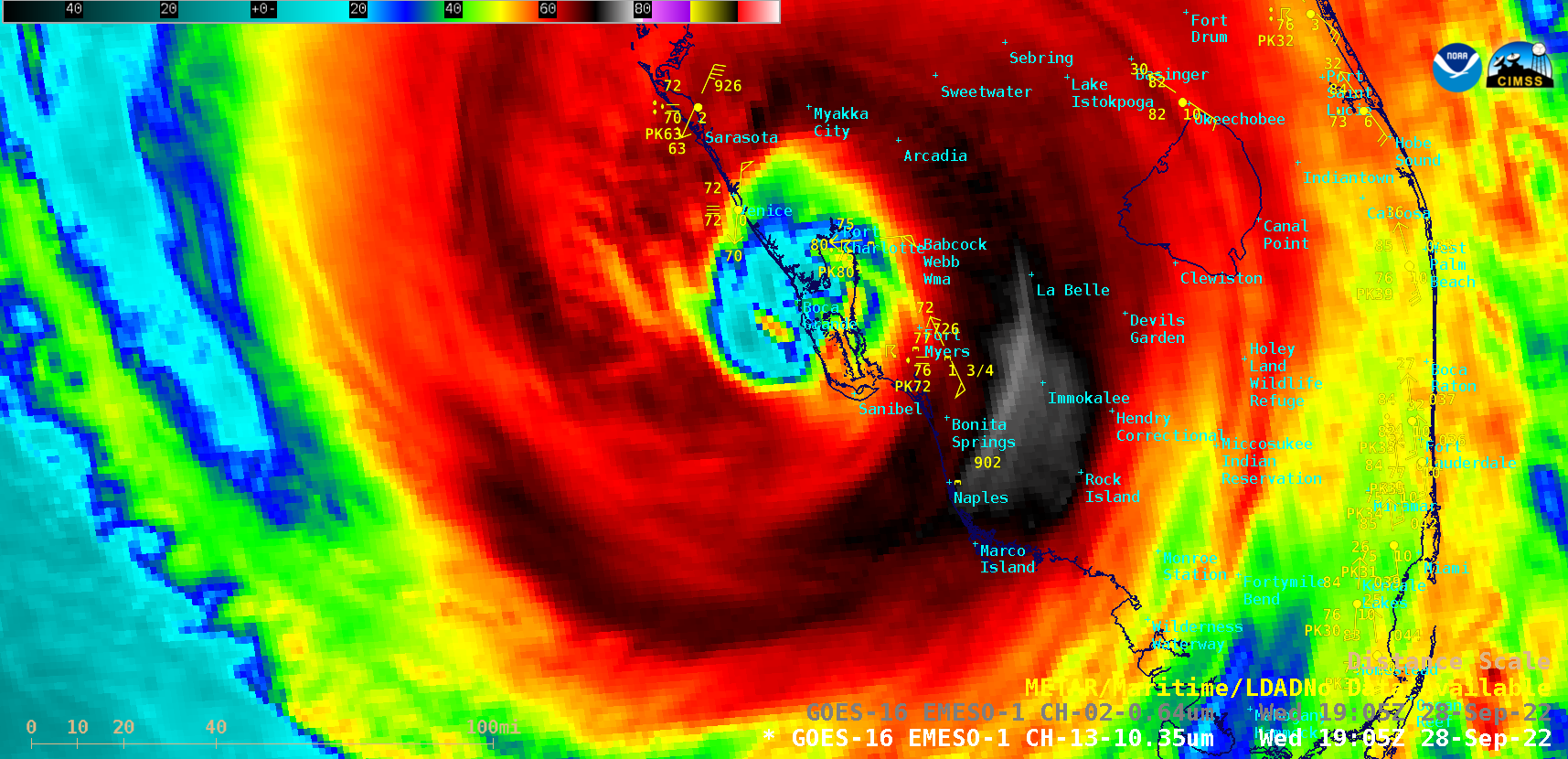
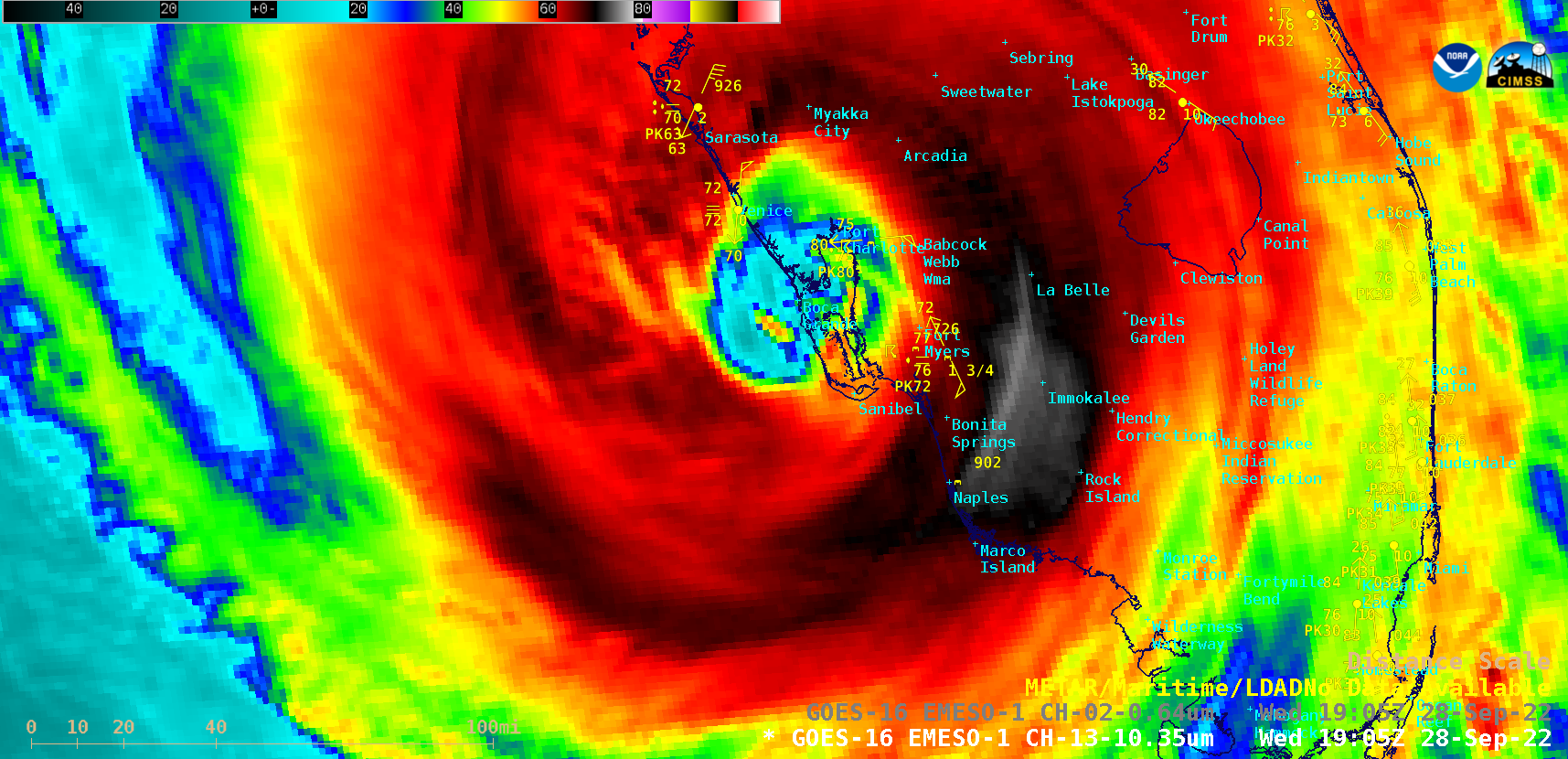
Overlapping 1-minute Mesoscale Domain Sectors provided 30-second interval GOES-16 (GOES-East) “Clean” Infrared Window (10.3 µm) and “Red” Visible (0.64 µm) images (above) during a 7-hour period that included the landfall of Hurricane Ian along the southwest coast of Florida at 1905 UTC (Visible | Infrared) on 28 September 2022. Moving across very warm water (where buoy... Read More
GOES-16 “Clean” Infrared Window (10.3 µm) and “Red” Visible (0.64 µm) images [click to play animated GIF | MP4]
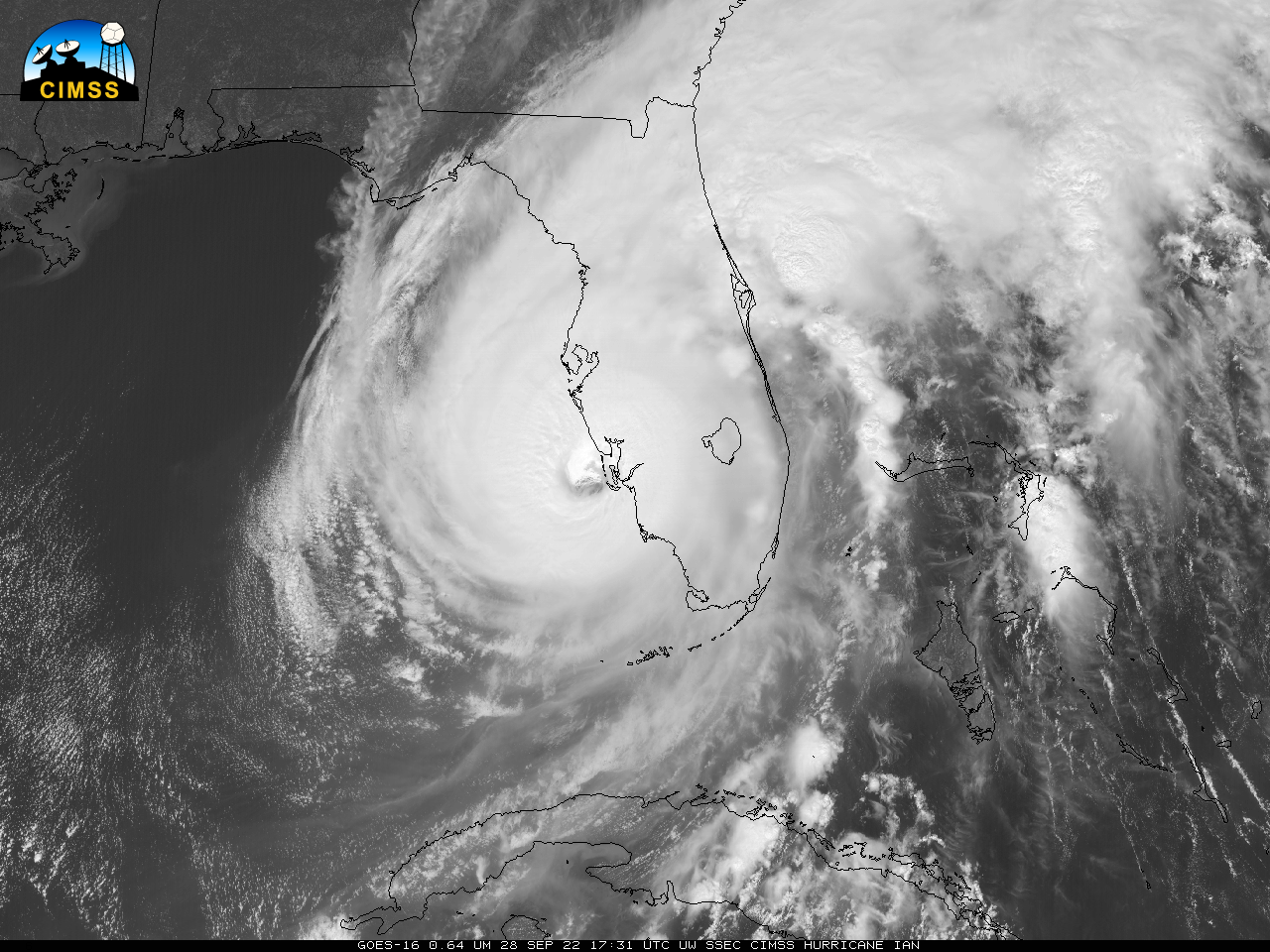
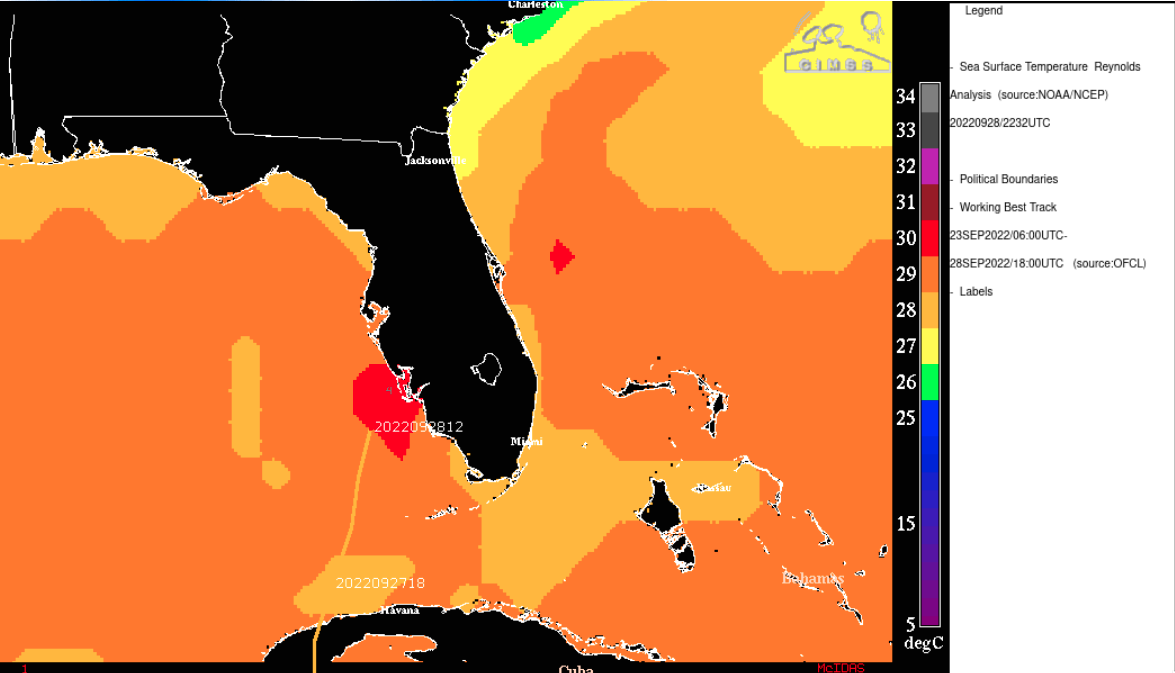
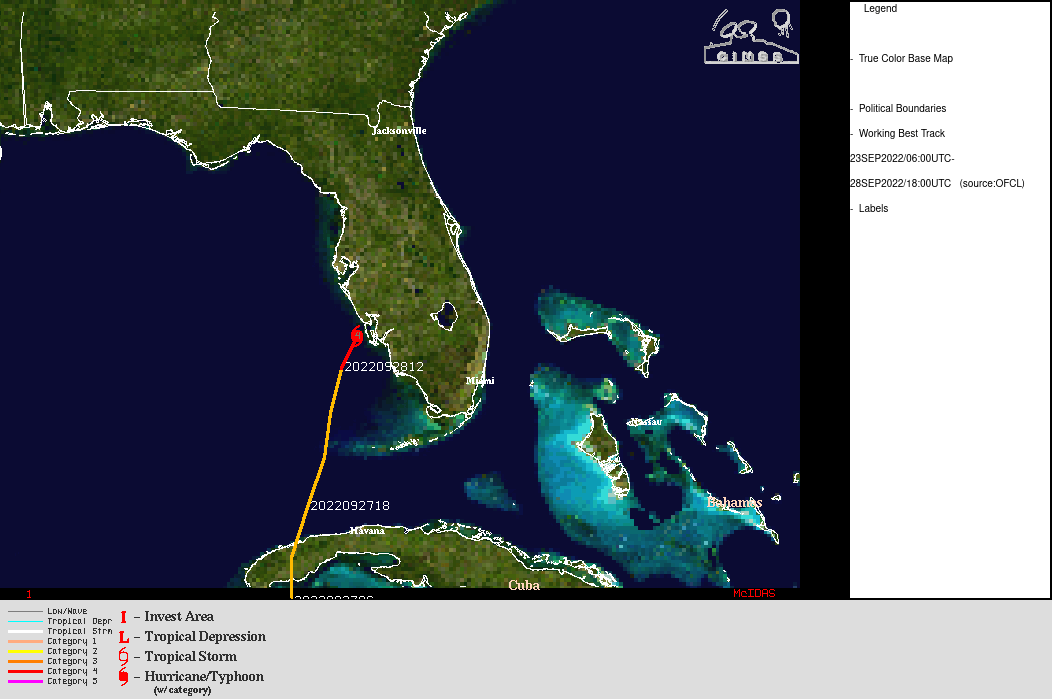
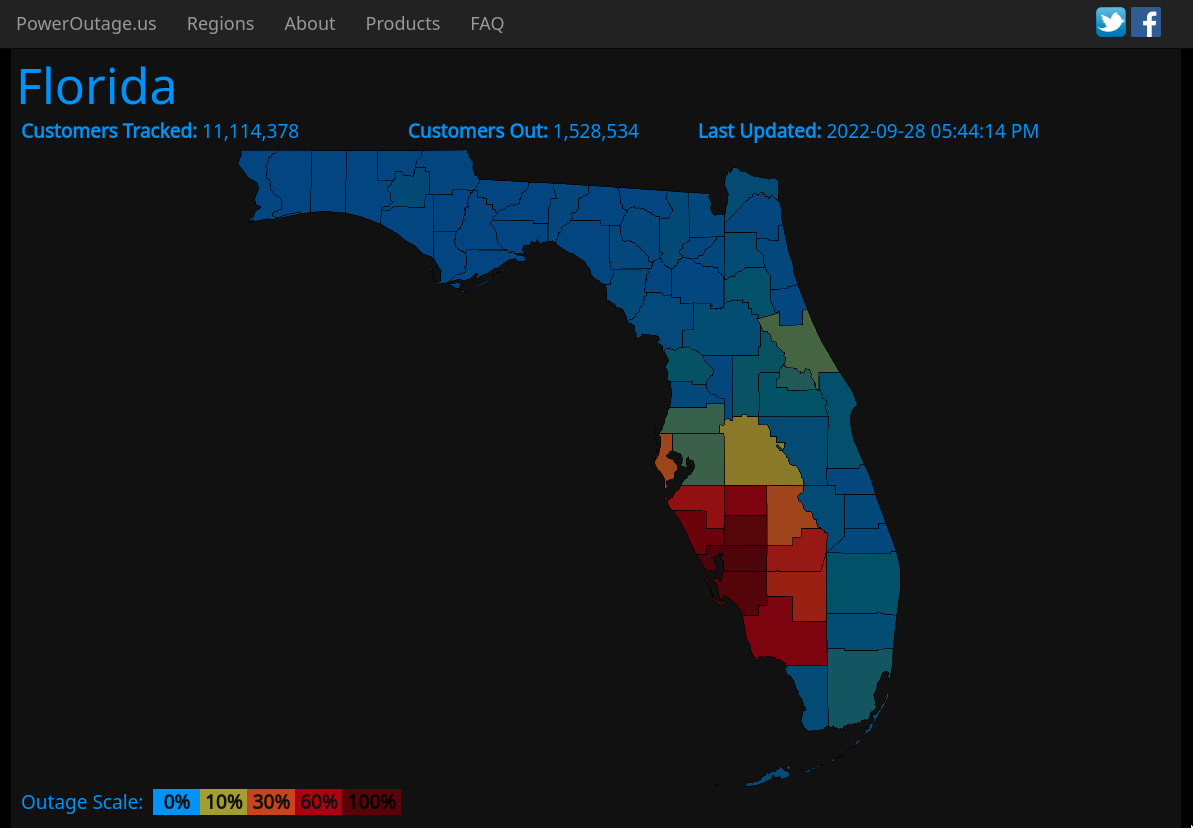
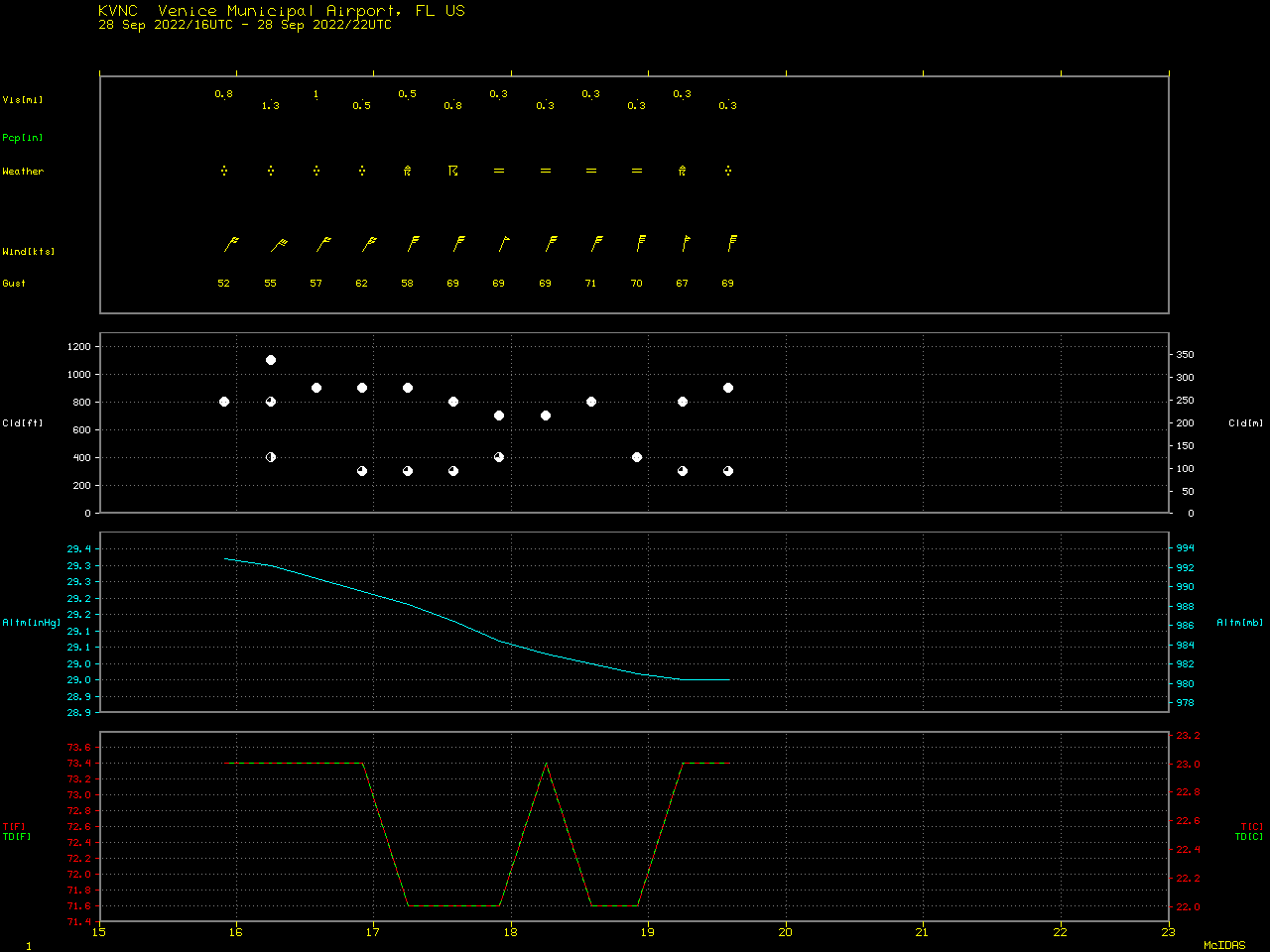
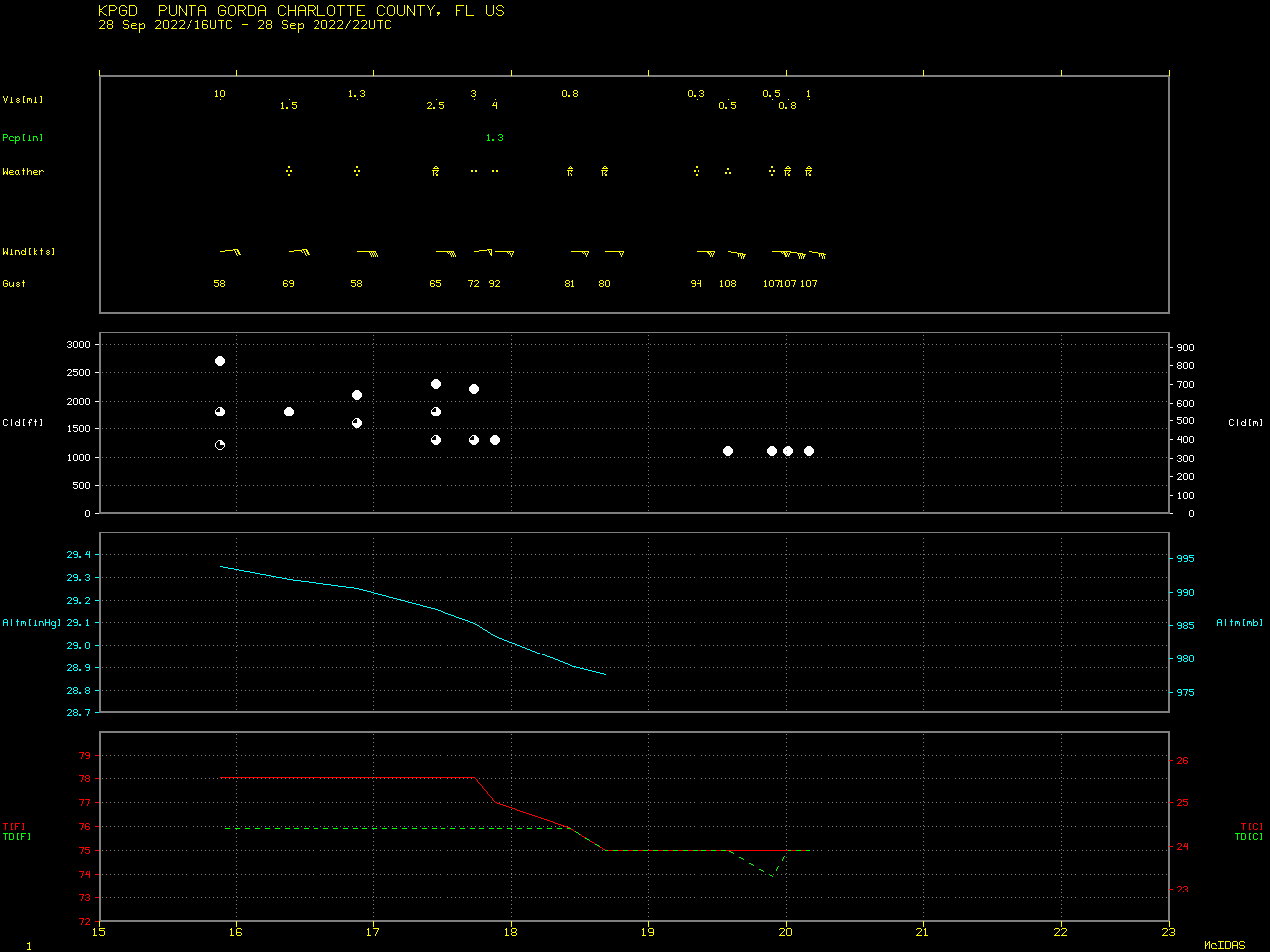
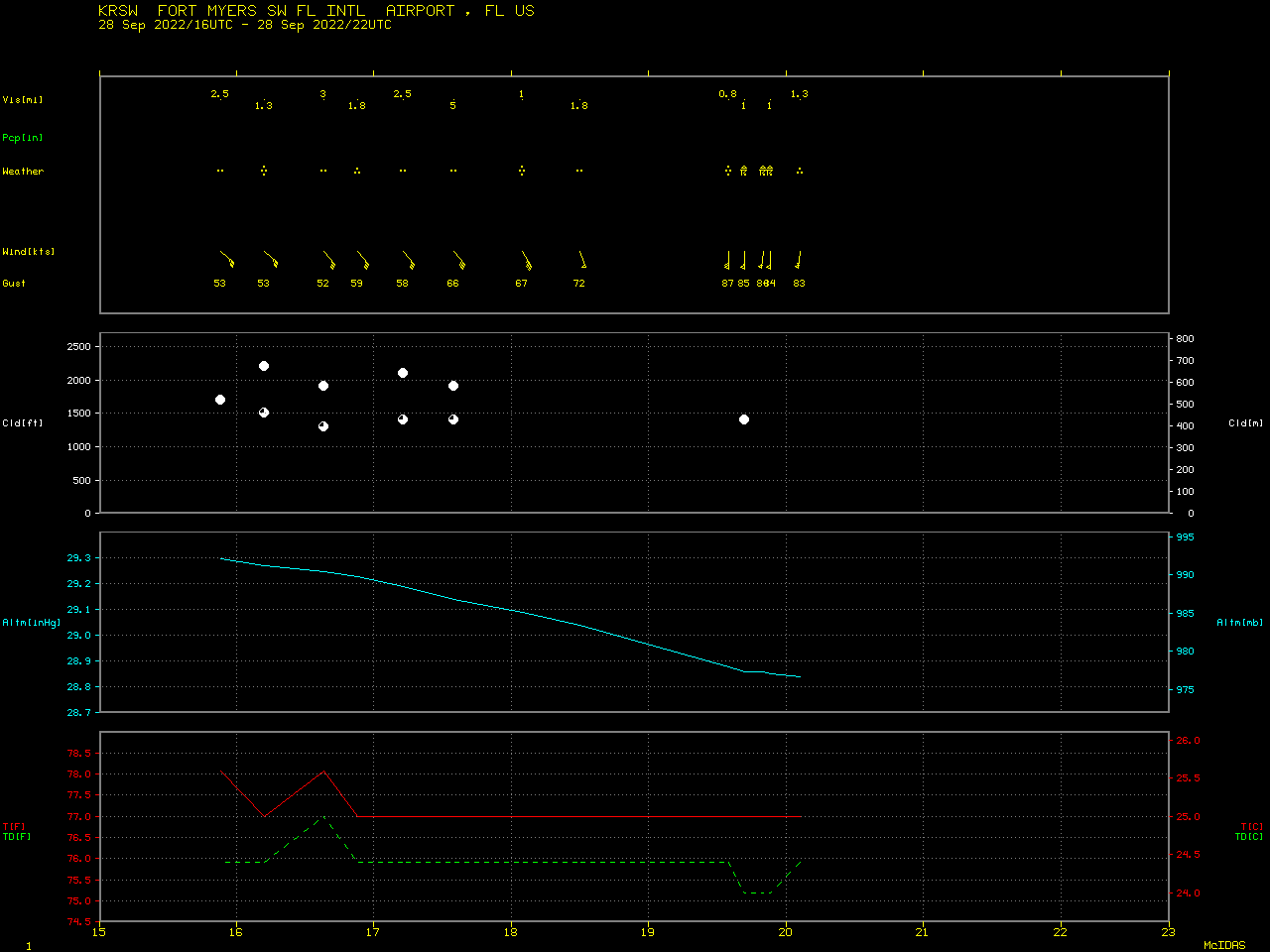
Overlapping 1-minute Mesoscale Domain Sectors provided 30-second interval GOES-16 (GOES-East) “Clean” Infrared Window (10.3 µm) and “Red” Visible (0.64 µm) images (above) during a 7-hour period that included the landfall of Hurricane Ian along the southwest coast of Florida at 1905 UTC (Visible | Infrared) on 28 September 2022. Moving across very warm water (where buoy Sea Surface Temperature values were 82-85ºF), Ian intensified to a Category 4 hurricane at 1200 UTC, and further intensified as it neared the Florida coast to just below Category 5 strength (rated at 135 knot sustained winds). As Ian moved inland, peak wind gusts were as high as 140 mph, and heavy rainfall exceeded 10 inches within a 4-hour period (WPC Storm Summary). These strong winds quickly resulted in power outages to 96-99% of customers in DeSoto, Charlotte and Lee Counties by 2244 UTC — note the disappearance of surface plot data in the GOES-16 imagery after 20 UTC at sites such as Venice (peak gust 90 knots / 104 mph), Punta Gorda (peak gust 117 knots / 135mph) and Fort Meyers (peak gust 87 knots / 100 mph).
30-second GOES-16 Visible images with time-matched plots of GLM Flashes (below) indicated that lightning activity within the eyewall decreased as the eye of Ian approached the coast.
GOES-16 “Red” Visible (0.64 µm) images, with plots of GLM Flashes [click to play animated GIF | MP4]
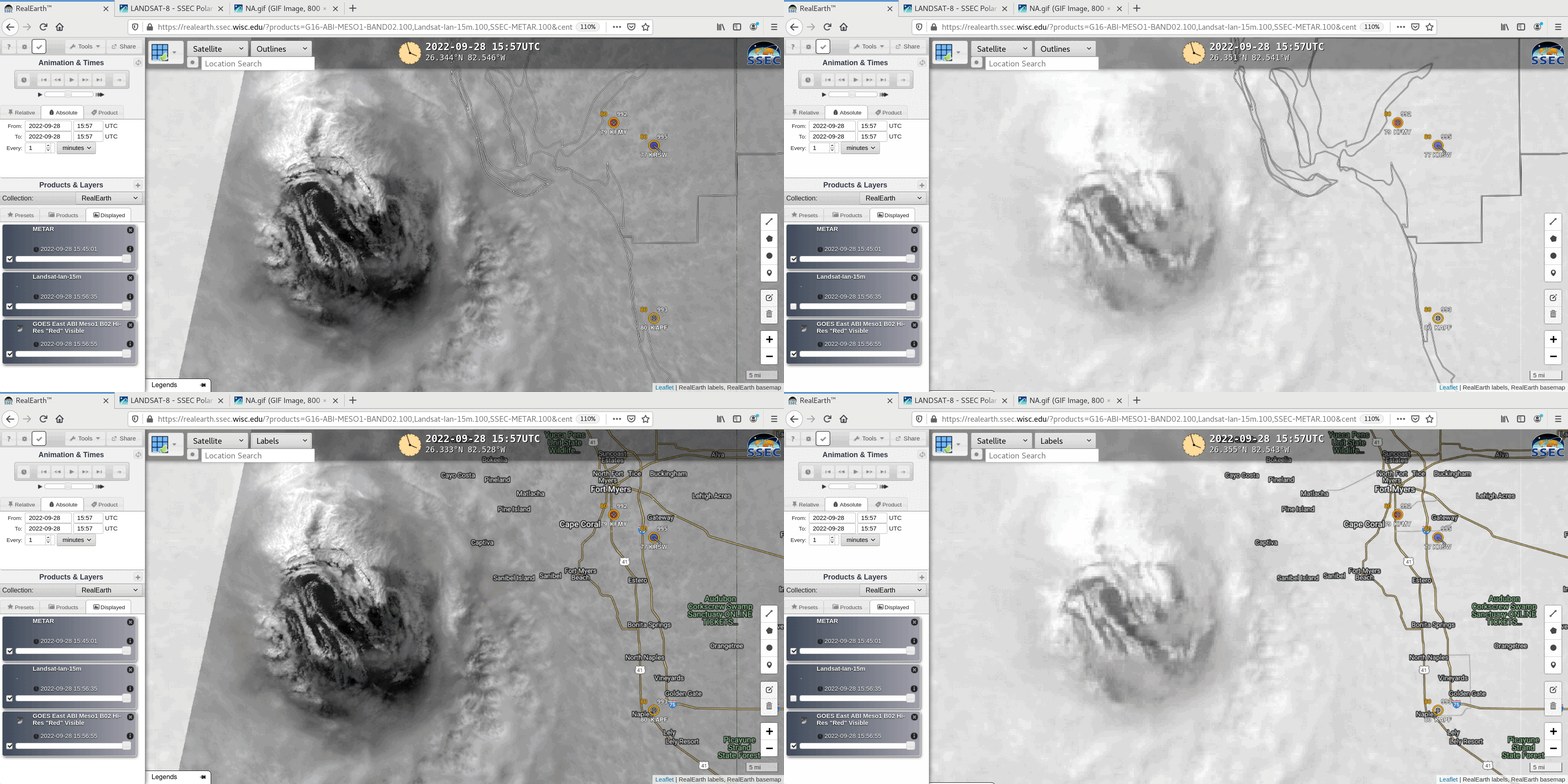
In a comparison of ~500-meter resolution GOES-16 Visible and ~15-meter resolution Landsat-8 Operational Land Imager Panchromatic images valid at 1557 UTC — viewed using RealEarth(below) — the Landsat image provided a more detailed view of the cloud structures within the eye of Hurricane Ian as it was just off the west coast of Florida.
GOES-16 “Red” Visible (0.64 µm) and Landsat-8 Panchromatic (0.59 µm) images, valid at 1557 UTC [click to enlarge]
A closer look at the 15-meter resolution Landsat-8 Panchromatic image is available here.
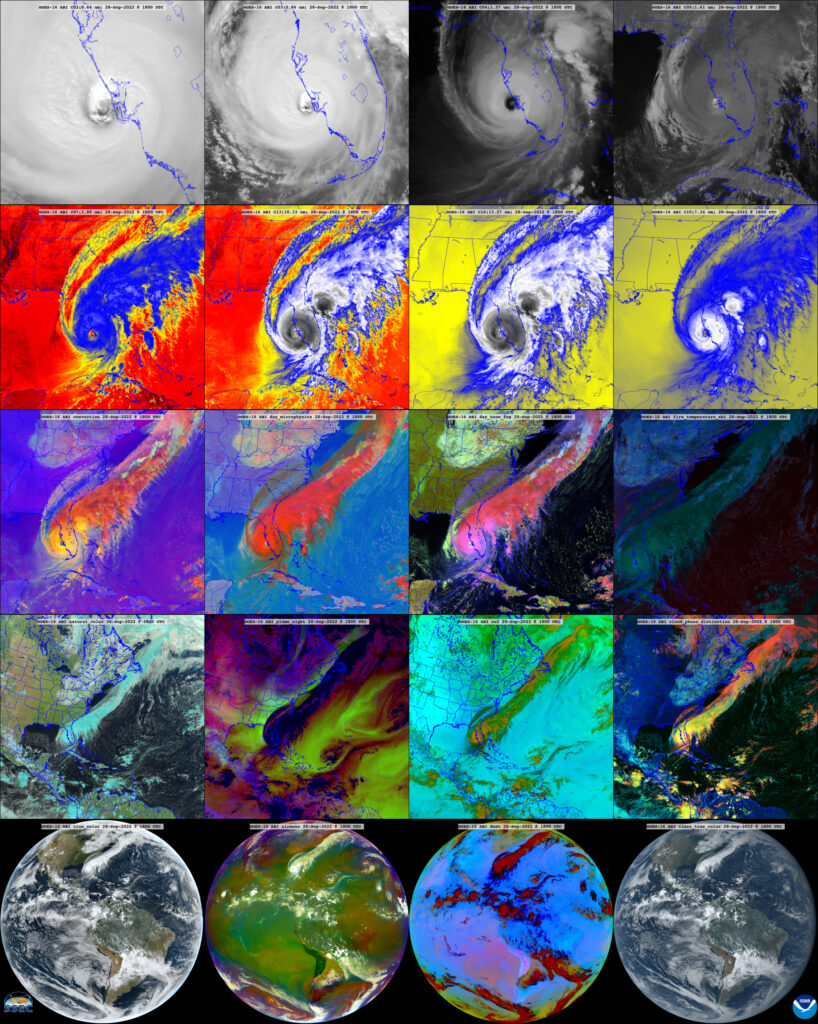
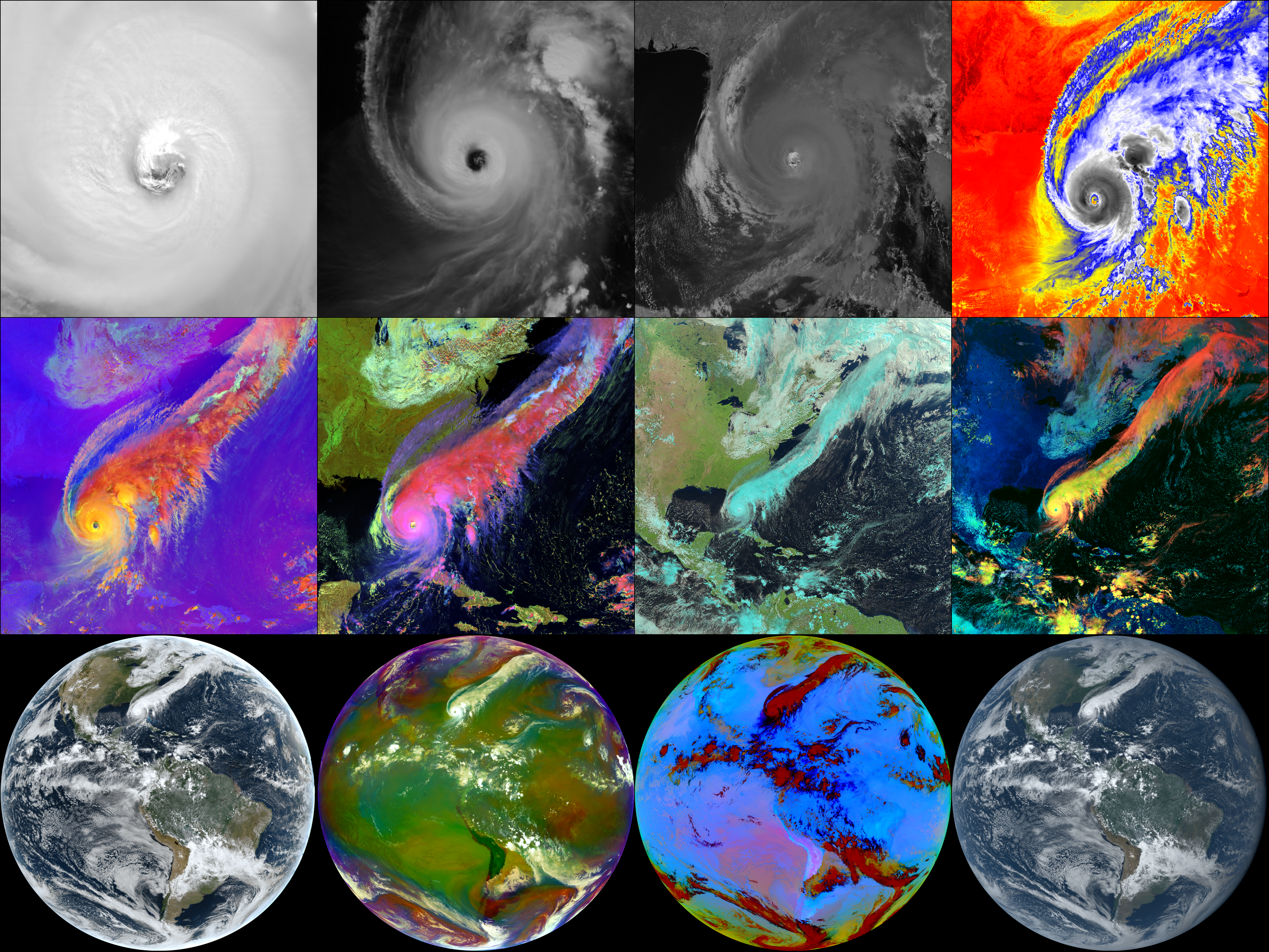
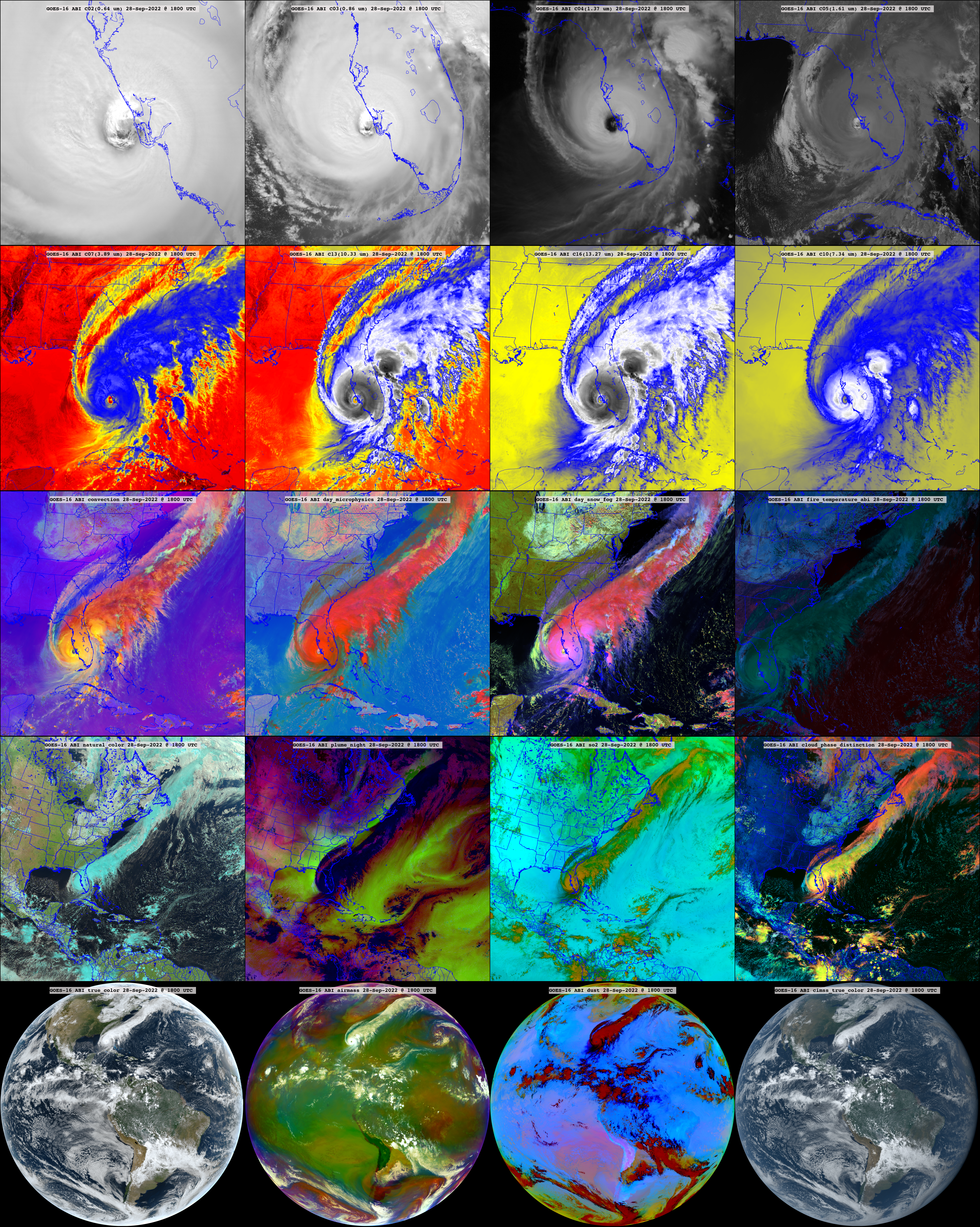
Multi-panel Image at Landfall
This multi-panel image shows a number of GOES-16 ABI spectral bands, or band composites when Hurricane Ian made landfall. The upper left image is the finest spatial resolution, while the last row showing full disk scale imagery.
GOES-16 ABI images from 18 UTC on September 28, 2022.
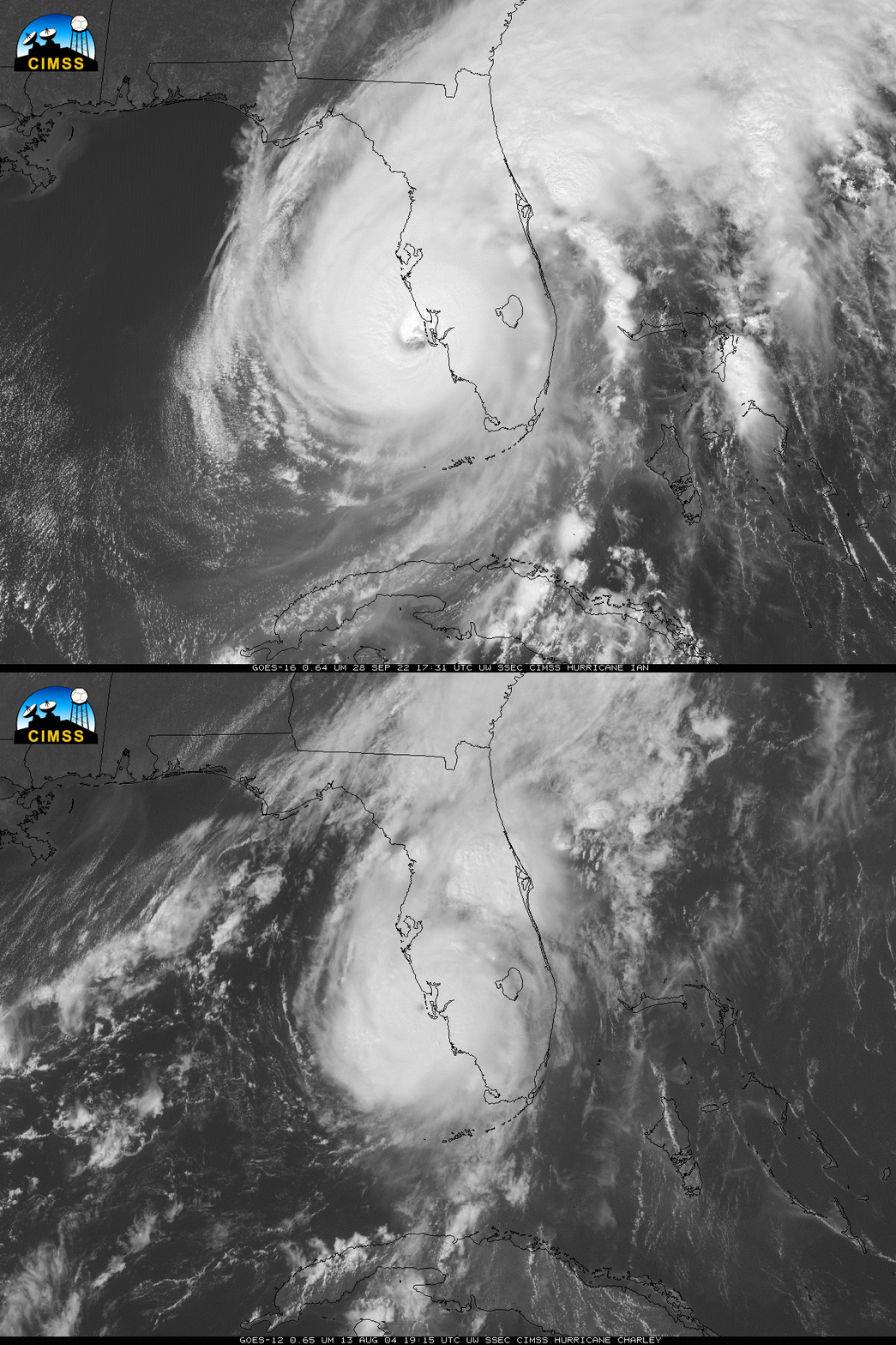
The toggle above compares eyewall sizes from 2004’s Hurricane Charley and 2022’s Hurricane Ian near landfall in/around Fort Myer FL. Charley was a small cat-4 storm at landfall (link) with a 10-nm wide eye.. Hurricane-force winds with Charley extended only 15-25 miles out from the eye (link). In contrast, Ian... Read More
GOES-16 and GOES-12 visible (0.64 um) imagery at 1731 UTC on 28 September (Ian) and 1915 UTC on 13 August 2004 (Charley). (Click to enlarge)
The toggle above compares eyewall sizes from 2004’s Hurricane Charley and 2022’s Hurricane Ian near landfall in/around Fort Myer FL. Charley was a small cat-4 storm at landfall (link) with a 10-nm wide eye.. Hurricane-force winds with Charley extended only 15-25 miles out from the eye (link). In contrast, Ian has a much larger eye (30 nautical miles) and hurricane-force winds extend 30-40 miles from the eyewall (link)! Other GOES-12 Imagery of Charley is available in the CIMSS GOES Galleryhere.
Overlapping 1-minute Mesoscale Domain Sectors provided 30-second interval GOES-16 (GOES-East) “Red” Visible (0.64 µm) images, with and without an overlay of GLM Flash Extent Density (above) — which showed the well-defined eye of Category 3 Hurricane Ian as it moved away from the northern coast of Cuba on 27 September 2022. Near-continuous... Read More
GOES-16 “Red” Visible (0.64 µm) images, with and without an overlay of GLM Flash Extent Density [click to play animated GIF | MP4]
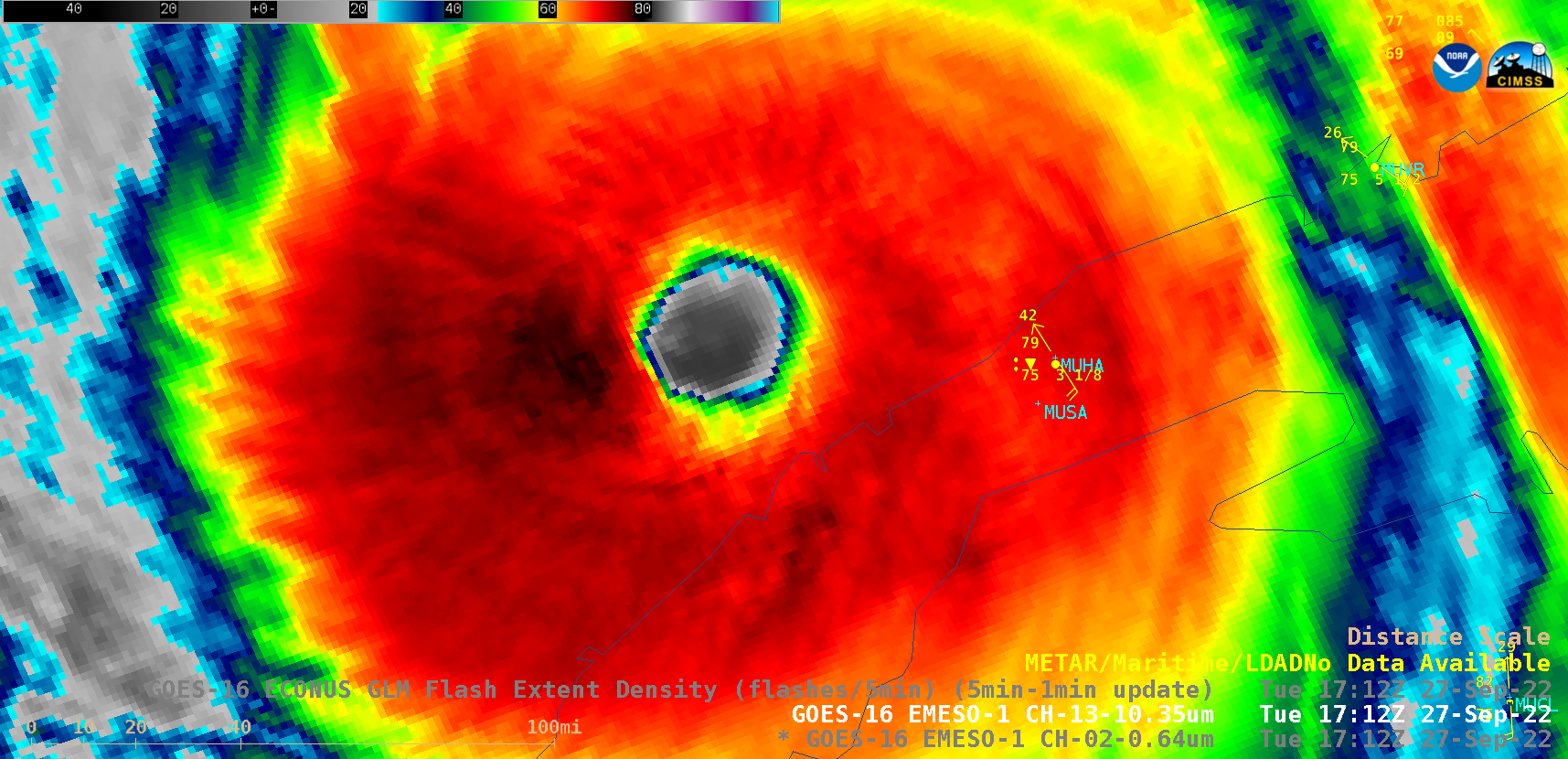
Overlapping 1-minute Mesoscale Domain Sectors provided 30-second interval GOES-16 (GOES-East) “Red” Visible (0.64 µm) images, with and without an overlay of GLM Flash Extent Density (above) — which showed the well-defined eye of Category 3 Hurricane Ian as it moved away from the northern coast of Cuba on 27 September 2022. Near-continuous lightning activity was seen in the eyewall region of Ian during the 7-hour period from 1300-2000 UTC.
The corresponding 30-second GOES-16 “Clean” Infrared Window (10.3 µm) images (below) showed cloud-top infrared brightness temperatures as cold as -83ºC.
GOES-16 “Clean” Infrared Window (10.3 µm) images [click to play animated GIF | MP4]
In a toggle between NOAA-20 VIIRS Infrared Window (11.45 µm) and Visible (0.64 µm) images valid at 1847 UTC (below), the coldest cloud-top infrared brightness temperatures at that time were around -83ºC (darker shades of purple),
NOAA-20 VIIRS Infrared Window (11.45 µm) and Visible (0.64 µm) images, valid at 1847 UTC [click to enlarge]